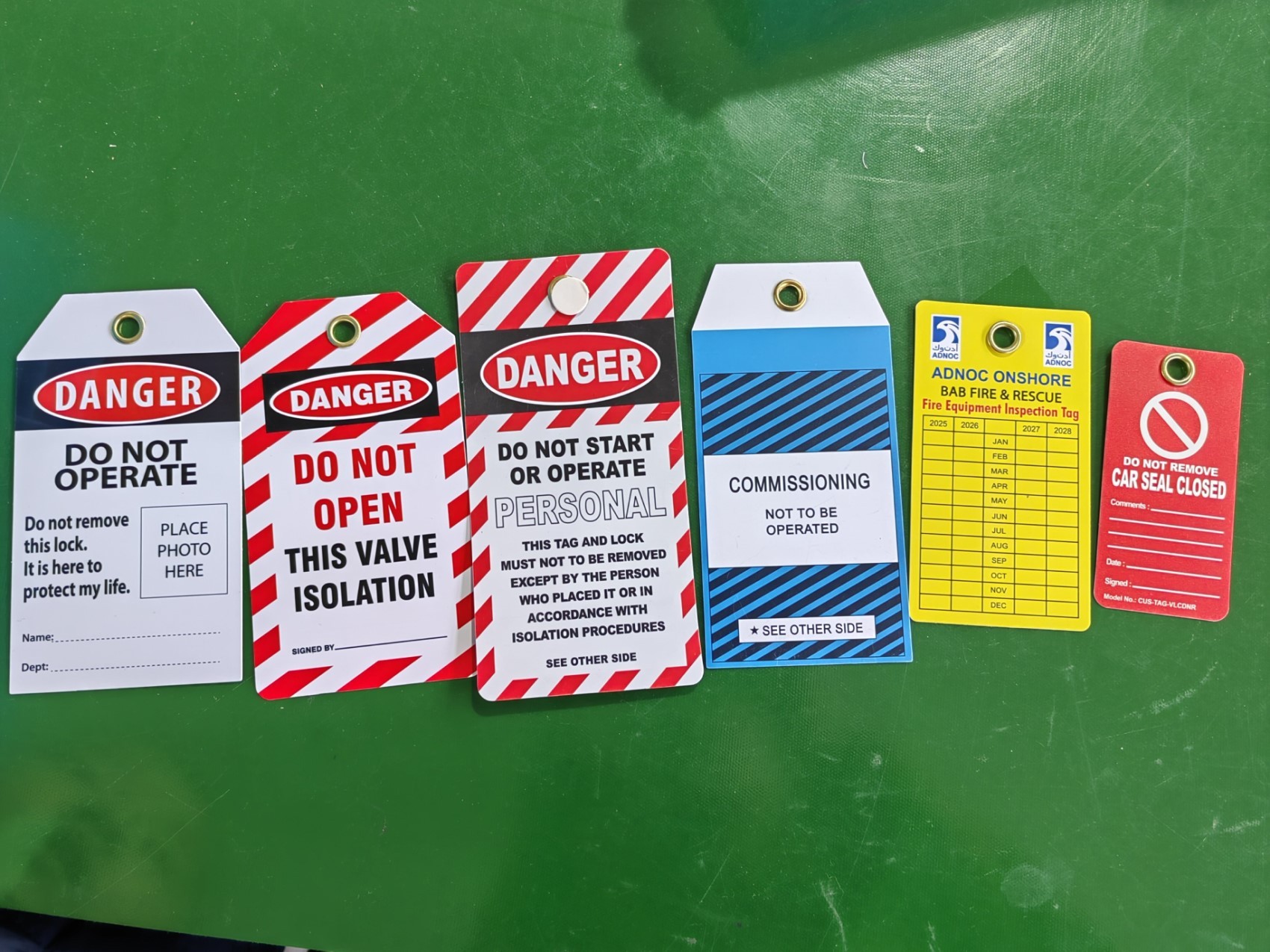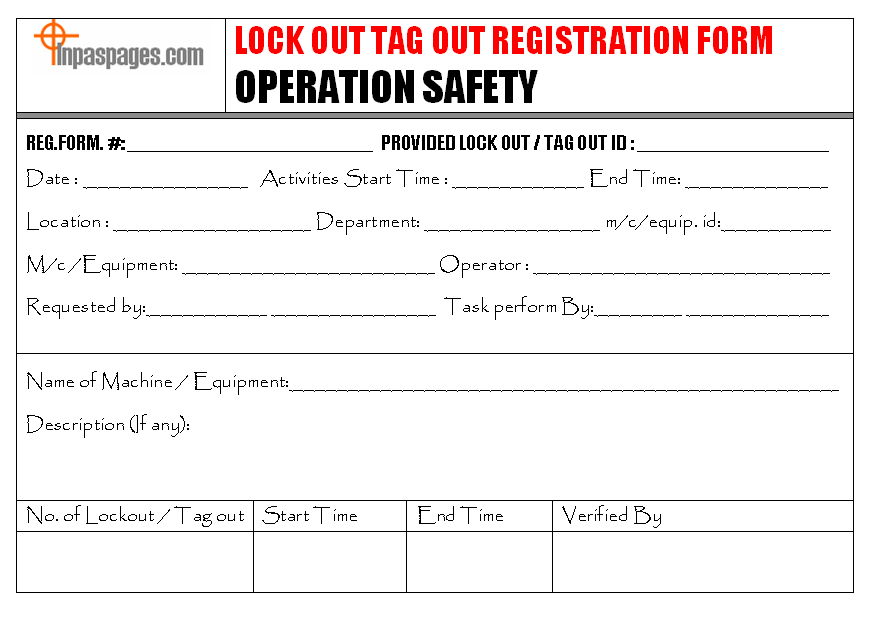
Every year, hundreds of workers suffer serious injuries during equipment maintenance—all because proper lockout tagout (LOTO) procedures weren’t followed. At the heart of an effective LOTO program is a clear, standardized lock out tag out form PDF. This document isn’t just paperwork—it's a legal safeguard, a communication tool, and a step-by-step guide to preventing accidental energization during servicing.
Yet many companies still rely on handwritten notes, verbal confirmations, or outdated templates that fail OSHA audits. The solution? A well-designed, accessible LOTO form PDF that employees can use consistently across shifts, departments, and locations.
This guide walks you through what to include in your lock out tag out form PDF, where to get reliable templates, how to implement them, and common pitfalls that undermine even the best safety intentions.
What Is a Lock Out Tag Out Form?
A lock out tag out form is a documented procedure used to ensure that machines and energy sources are properly shut off and isolated before maintenance or repair work begins. It's part of a broader Energy Control Program mandated by OSHA (29 CFR 1910.147) to protect workers from unexpected startup or release of stored energy.
When saved as a PDF, this form becomes a standardized, printable, and often digitally signable document that can be archived for compliance audits. Unlike generic checklists, a good LOTO form PDF includes:
- Machine or equipment identification
- Type and location of energy sources (electrical, hydraulic, pneumatic, etc.)
- List of authorized employees performing the lockout
- Lock and tag placement details
- Verification of zero energy state
- Sign-off sections for both application and removal of locks
Without this structure, even trained personnel risk missing critical steps under pressure.
Why Use a PDF Format for LOTO Forms?
While digital LOTO apps are emerging, many industrial environments still rely on printed forms due to limited connectivity, legacy systems, or regulatory preference. The PDF format strikes a balance between flexibility and control:
- Consistency: Ensures every copy has the same layout and required fields
- Accessibility: Can be opened on almost any device without special software
- Security: Can be password-protected or made non-editable after completion
- Archival: Easy to store, search, and retrieve during OSHA inspections
More importantly, a fillable PDF allows field technicians to complete the form on tablets or laptops—even offline—before printing or emailing for approval.
Key Elements of an Effective Lock Out Tag Out Form PDF
A poorly designed form leads to skipped steps and compliance gaps. Your LOTO form PDF should include the following sections to meet OSHA standards and real-world usability:
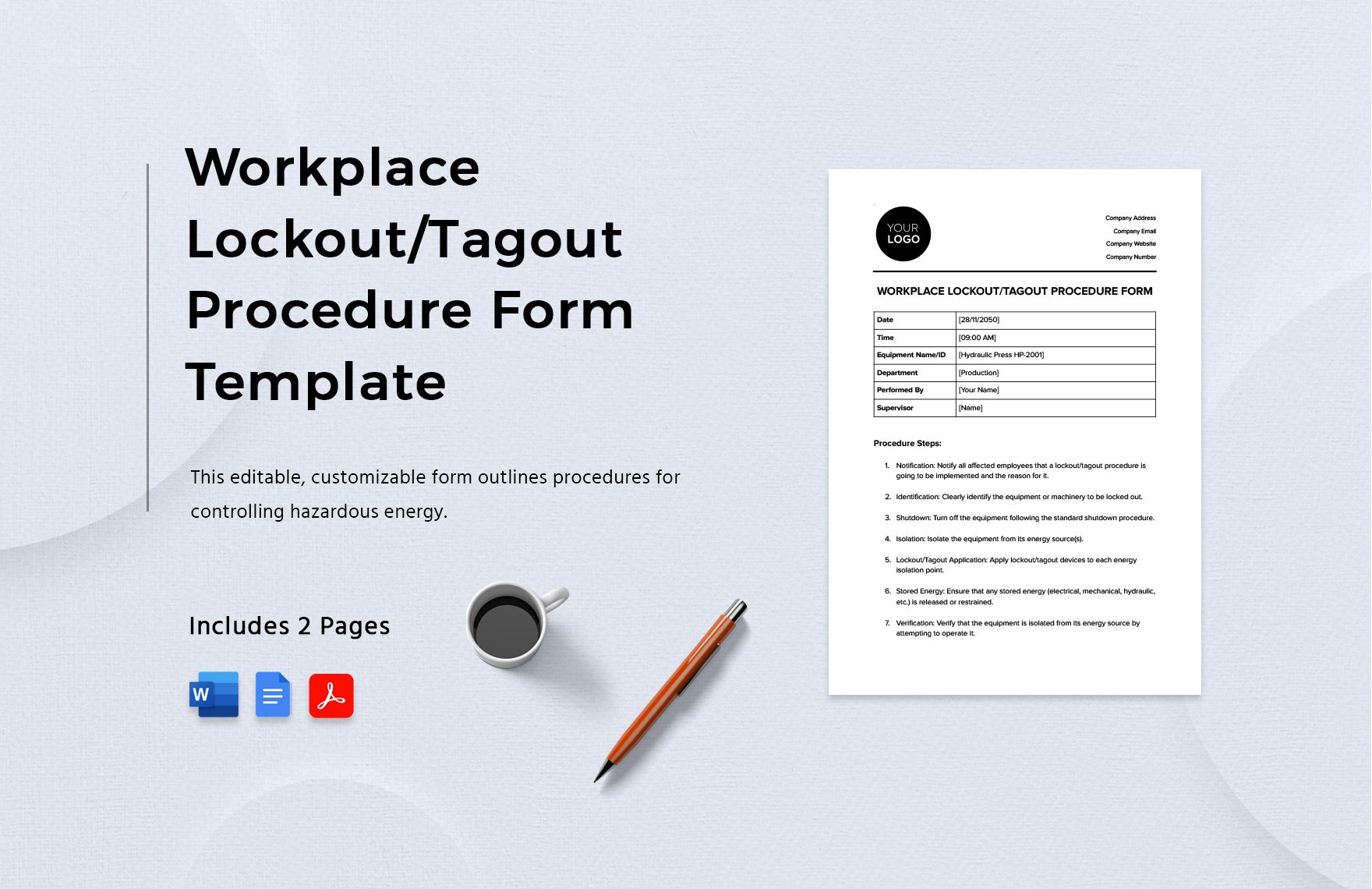
1. Equipment Identification Clearly state the machine name, ID number, and location. Avoid vague labels like “conveyor” or “pump.” Use asset tags when possible.
Example: Hydraulic Press #HP-205, Production Line B, East Wing
2. Energy Source Breakdown List every type of hazardous energy involved:
- Electrical (voltage level)
- Pneumatic (air pressure)
- Hydraulic (fluid pressure)
- Mechanical (springs, gravity)
- Chemical or thermal sources
Each must be addressed with a specific isolation method.
3. Authorized Personnel Section Identify all employees applying locks. Include name, role, and signature. This creates accountability.
Mistake to avoid: Letting one person sign for a team. Each worker must apply their own lock.
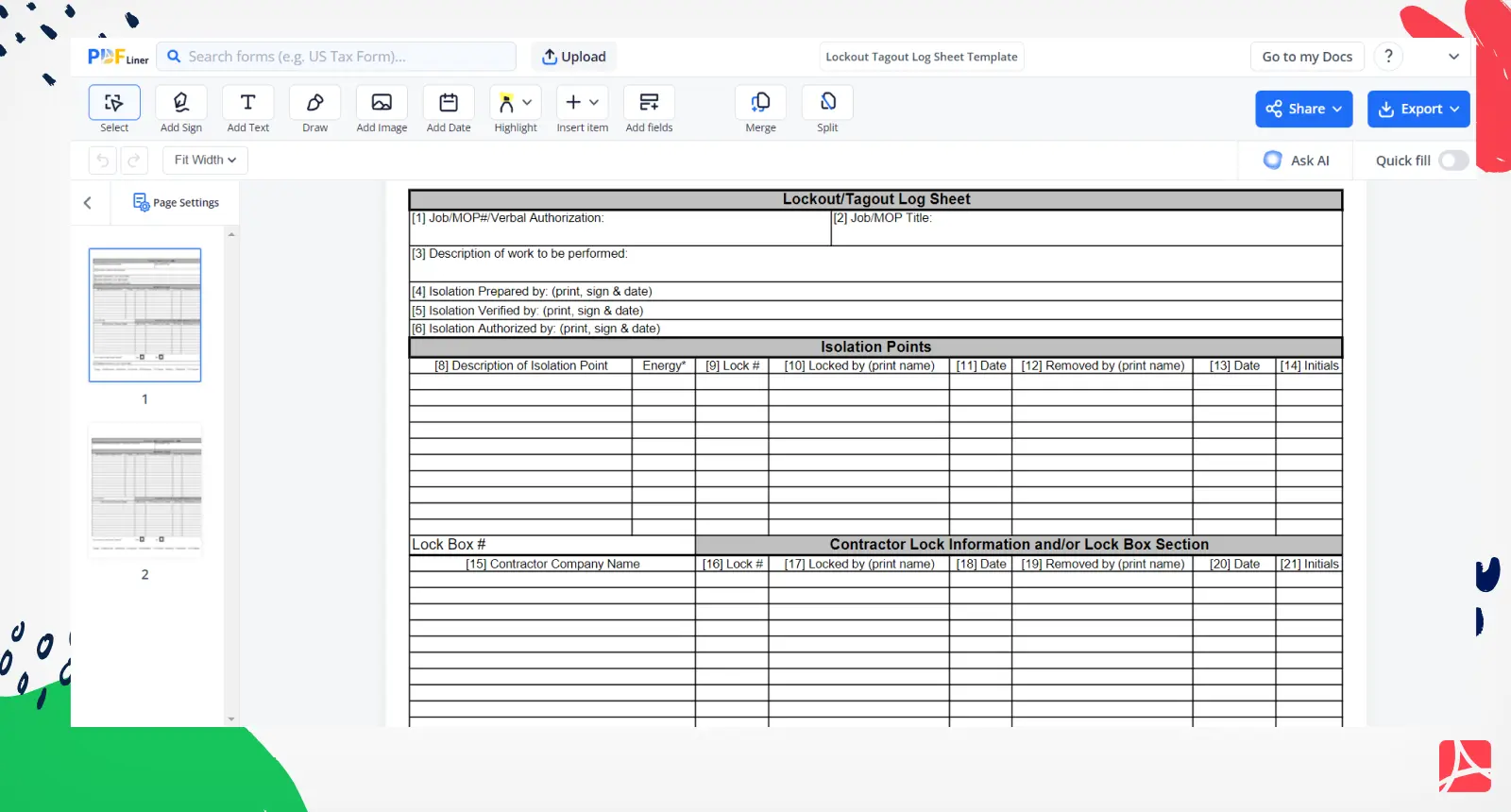
4. Lock and Tag Placement Log A table listing:
- Lock ID number
- Employee applying it
- Type of lock (padlock, valve lock, circuit breaker lockout)
- Location on equipment
This helps during group lockouts and shift changes.
5. Verification of Isolation A step requiring the authorized employee to test the equipment after lockout—using a “try-out” procedure—to confirm zero energy state.
Real-world tip: Use a multimeter for electrical systems and bleed valves for fluid lines.
6. Sign-Off for Lock Removal Only after work is complete, tools are removed, and the area is clear should locks be removed—by the same person who applied them.
Common Mistakes in Using LOTO Form PDFs
Even with a solid template, human error and workflow shortcuts lead to failures. Watch out for these:
❌ Using the Same Form for All Machines Not all equipment has the same hazards. A boiler requires different isolation steps than a CNC machine. Customize forms per asset or group.
❌ Skipping the Try-Out Step Workers assume “off” means “safe.” Always verify with testing instruments.
❌ Allowing Tag-Only Use Without Locks Tags are warnings, not physical restraints. OSHA requires lockout wherever feasible. Tag-only procedures are permitted only under strict conditions.
❌ Poor Form Accessibility If the LOTO PDF is buried in a shared drive, workers won’t use it. Store printable versions near equipment or on shop-floor kiosks.
❌ Not Training on the Form Itself Employees must understand every field—not just fill boxes. Train using real scenarios and mock lockouts.
Where to Get Reliable Lock Out Tag Out Form PDF Templates
You don’t need to build a LOTO form from scratch. Several trusted sources offer free, customizable PDF templates:
1. OSHA Official Resources The U.S. Department of Labor provides LOTO guidance documents and sample forms. While not always fillable, they’re compliant by design. → Best for: Government and public sector facilities
2. National Safety Council (NSC) NSC offers industry-specific LOTO templates, including PDFs with digital signature fields. → Best for: Manufacturing and heavy industry
3. Grainger Safety Hub Industrial supplier Grainger provides downloadable, ready-to-use lockout tagout form PDFs tailored to common equipment types. → Best for: Facilities using standard machinery
4. Creative Safety Supply Offers editable LOTO form PDFs with visual icons, multilingual support, and bilingual (English/Spanish) versions. → Best for: Multilingual workforces
5. SafetyCulture (iAuditor) Provides free LOTO templates in PDF and mobile app formats. You can complete them on a phone, then export as PDF. → Best for: Digital-first teams wanting hybrid workflows
Pro tip: Always review templates against your internal procedures. Add site-specific details before deployment.
How to Implement a LOTO Form PDF in Your Facility
Adopting a lock out tag out form PDF isn’t just about distribution—it’s about integration.
Step 1: Conduct a Machinery Audit Identify all equipment requiring LOTO procedures. Classify by energy type and risk level.
Step 2: Customize Templates Use one base PDF but create variations for high-risk machines (e.g., robotic arms, high-pressure vessels).
Step 3: Train Employees Hold hands-on sessions where workers complete a LOTO form PDF during a simulated maintenance task.
Step 4: Make Forms Accessible Print copies near lockout stations or load them onto tablets used by maintenance crews.
Step 5: Audit Regularly Randomly pull completed LOTO PDFs and check for completeness. Look for missing signatures, skipped verification, or reused forms.
Case study: A Midwest auto parts plant reduced LOTO-related incidents by 74% within six months of switching to standardized, machine-specific PDF forms.
Digital vs. Paper LOTO Form PDFs: What’s Best?
While PDFs bridge the gap, many companies are moving toward full digital LOTO systems. Here’s how they compare:
| Feature | Paper/Static PDF | Fillable/Digital PDF | Full Digital LOTO App |
|---|---|---|---|
| Offline Use | Yes | Yes | Sometimes limited |
| Real-Time Sign-Off | No | Possible with signatures | Yes |
| Audit Trail | Manual filing | Email or folder storage | Automated logs |
| Integration | None | Limited | With CMMS, ERP |
| Training Support | None | Embedded instructions | Tutorials, prompts |
For most small to mid-sized operations, a fillable PDF is the sweet spot—low cost, high compliance, and easy to scale.
Final Thoughts: Treat Your LOTO Form PDF as a Living Document
A lock out tag out form PDF isn’t something you download once and forget. It should evolve with your equipment, workforce, and safety culture.
Update forms when: - New machines are installed - Energy sources change - OSHA updates regulations - Near-misses occur
Print it, fill it, file it—but more importantly, use it correctly every single time. One skipped step can lead to irreversible consequences.
Start today: Download a customizable LOTO form PDF, tailor it to your top three high-risk machines, and run a trial lockout with your maintenance team. Document the process, refine the form, and scale it across your site.
Safety isn’t a policy. It’s a practice. And your LOTO form PDF is one of its most critical tools.
Frequently Asked Questions
What should a lock out tag out form include? A complete LOTO form should identify the equipment, list all energy sources, name authorized employees, document lock/tag placement, verify zero energy, and include sign-offs for both application and removal.
Are tag-only procedures allowed under OSHA? Yes, but only if a lock cannot be applied. Tag-only use requires additional safety measures, including training, inspections, and procedural controls.
Can I use a digital signature on a LOTO form PDF? Yes, if your organization has a valid electronic records policy. Digital signatures are accepted under OSHA’s recordkeeping guidelines when properly implemented.
Who is responsible for completing the LOTO form? The authorized employee performing the servicing or maintenance must complete and sign the form.
How long should completed LOTO form PDFs be kept? OSHA requires documentation of periodic inspections, but retaining completed forms for at least one year is a best practice for incident investigations and audits.
Can one person remove multiple locks during a group lockout? No. Each lock must be removed by the employee who applied it, unless a formal “authorized removal” procedure is in place with strict verification steps.
Where should LOTO forms be stored after use? Completed forms should be filed in a central safety log—either physical or digital—for easy retrieval during audits or incident reviews.
FAQ
What should you look for in Lock Out Tag Out Form PDF Templates for Workplace Safety? Focus on relevance, practical value, and how well the solution matches real user intent.
Is Lock Out Tag Out Form PDF Templates for Workplace Safety suitable for beginners? That depends on the workflow, but a clear step-by-step approach usually makes it easier to start.
How do you compare options around Lock Out Tag Out Form PDF Templates for Workplace Safety? Compare features, trust signals, limitations, pricing, and ease of implementation.
What mistakes should you avoid? Avoid generic choices, weak validation, and decisions based only on marketing claims.
What is the next best step? Shortlist the most relevant options, validate them quickly, and refine from real-world results.